


15 Best WordPress Plugins for Small Business USA (2026) — Tested & Ranked
We tested over 40 plugins and hand-picked the 15 best WordPress plugins for small business USA in 2026 — covering SEO, speed, security, lead generation, and sales. Here’s exactly what to install and why.
Why the Right Plugins Are Critical for US Small Business Websites in 2026
If you run a small business in the United States and your website runs on WordPress, plugins are what turn a basic website into a sales machine. But here’s the problem — the WordPress plugin repository has over 59,000 plugins. Most of them are mediocre. Some of them will actively slow down or break your site.
We built and maintained over 120 WordPress websites for US small businesses in the past five years. We tested plugins across industries — dental clinics, law firms, contractors, restaurants, ecommerce stores, and service businesses. This list is the result of that testing: the plugins that actually work, stay updated, and make a measurable difference for US small business owners.
Before installing any plugin, check its last updated date and active installations. A plugin not updated in over 12 months or with fewer than 10,000 active installs is a risk. Stick to the plugins on this list — they’re all actively maintained in 2026.
According to W3Techs, WordPress powers over 43% of all websites on the internet — and the majority of US small business websites. Getting your plugins right is one of the highest-ROI decisions you can make for your online presence.
We’ve organized this list into five categories: SEO, speed, security, lead generation, and ecommerce. Let’s get into it.
Best SEO WordPress Plugins for US Small Businesses
Search engine optimization is the most important factor in getting free traffic from Google — and these plugins handle the technical SEO side so you can focus on writing great content. For a deeper dive, see our guide on how to do keyword research for your US small business website.
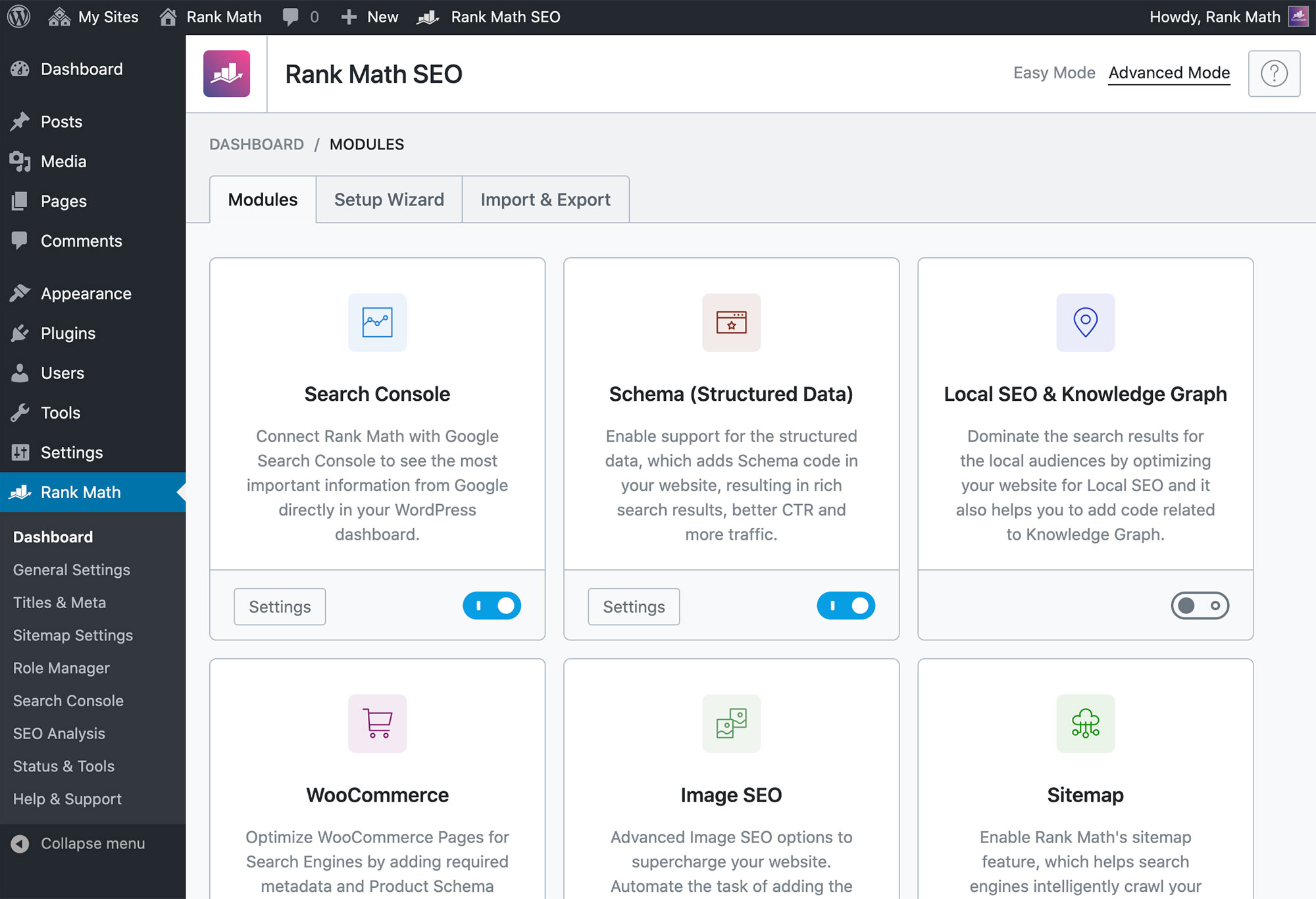
RankMath is our top-rated SEO plugin for US small businesses in 2026. It beats Yoast on almost every metric — faster setup, more built-in features, and a cleaner interface. The free version includes schema markup, XML sitemaps, local SEO, and Google Search Console integration that Yoast charges premium for.
- Built-in schema markup for local business, reviews, FAQ (critical for US local SEO)
- Google Search Console data shown directly in WordPress dashboard
- Focus keyword analysis with actionable suggestions — not just a color dot
- 404 monitor and redirect manager included free
- Works perfectly with Blocksy and Gutenberg
The official Google plugin for WordPress. Connects your site to Google Analytics 4, Google Search Console, Google AdSense, and PageSpeed Insights — all from one dashboard inside WordPress. Essential for tracking US visitor behavior and keyword performance.
- Official Google plugin — first-party data, no third-party tracking delays
- Google Search Console traffic and keyword data inside your WP dashboard
- PageSpeed Insights score visible without leaving WordPress
- One-click Google Analytics 4 setup — no manual code insertion needed
Best Speed & Performance Plugins — Because Slow Sites Kill US Businesses
According to Google research, 53% of US mobile users abandon a website that takes more than 3 seconds to load. A 1-second delay costs 7% in conversions. For a US small business getting 100 visitors per day with a $200 average sale, that’s potentially $14/day lost — just from slow load speed.
WP Rocket is the best WordPress speed plugin available in 2026 — period. It’s the only plugin that consistently delivers 90+ Google PageSpeed scores without requiring technical expertise. Works out of the box with Blocksy theme and improves Core Web Vitals (LCP, FID, CLS) which directly affect your Google ranking.
- Page caching, browser caching, and GZIP compression — all automatic
- Lazy loading for images and videos — reduces initial load time by 40-60%
- Database optimization to clean up WordPress bloat
- Works with all major US hosting providers (SiteGround, WP Engine, Kinsta)
- Compatible with Blocksy theme and all our CodePulse Studios service pages
Images are the #1 cause of slow WordPress sites. Smush automatically compresses every image you upload — reducing file size by up to 60% without visible quality loss. Essential for US small businesses with product photos, team photos, or service galleries.
- Automatic compression on upload — no manual steps
- Bulk optimize existing images with one click
- WebP conversion (Google’s preferred image format for 2026)
- Lazy loading built-in — images only load when visible on screen
Best Security Plugins — Don’t Let Hackers Kill Your US Business Website
WordPress websites are hacked over 90,000 times per day globally. US small business websites are prime targets because they often have valuable customer data but less security infrastructure than large companies. These two plugins are non-negotiable for any US business website.
Wordfence is the most trusted WordPress security plugin used by over 5 million websites worldwide. It includes a firewall, malware scanner, and login protection — the three essentials every US small business website needs. The free version is genuinely excellent.
- Web Application Firewall (WAF) blocks malicious traffic before it reaches your site
- Malware scanner checks files, themes, and plugins for infections
- Brute force login protection — blocks repeated failed login attempts
- Real-time threat intelligence updated daily
- Email alerts when someone logs in or a security issue is detected
Backups are your last line of defense. UpdraftPlus automatically backs up your entire WordPress site to Google Drive, Dropbox, or Amazon S3 on a schedule you set. If anything goes wrong — hack, server crash, bad plugin update — you restore with one click. 3+ million active installs.
- Scheduled automatic backups — daily, weekly, or monthly
- Backs up to Google Drive, Dropbox, S3, OneDrive, and more
- One-click restore — no technical knowledge needed
- Separates database and file backups for flexibility
Never use nulled (pirated) WordPress plugins. They almost always contain malware and leave backdoors in your site. For US businesses storing customer data, this can also result in GDPR and CCPA compliance violations with significant fines.
Best Lead Generation Plugins — Turn Visitors Into US Customers
Traffic without conversion is just a vanity metric. These plugins help US small businesses capture leads, build email lists, and turn website visitors into paying customers. For more on this, read our full guide on how to convert website visitors into customers for your US business.
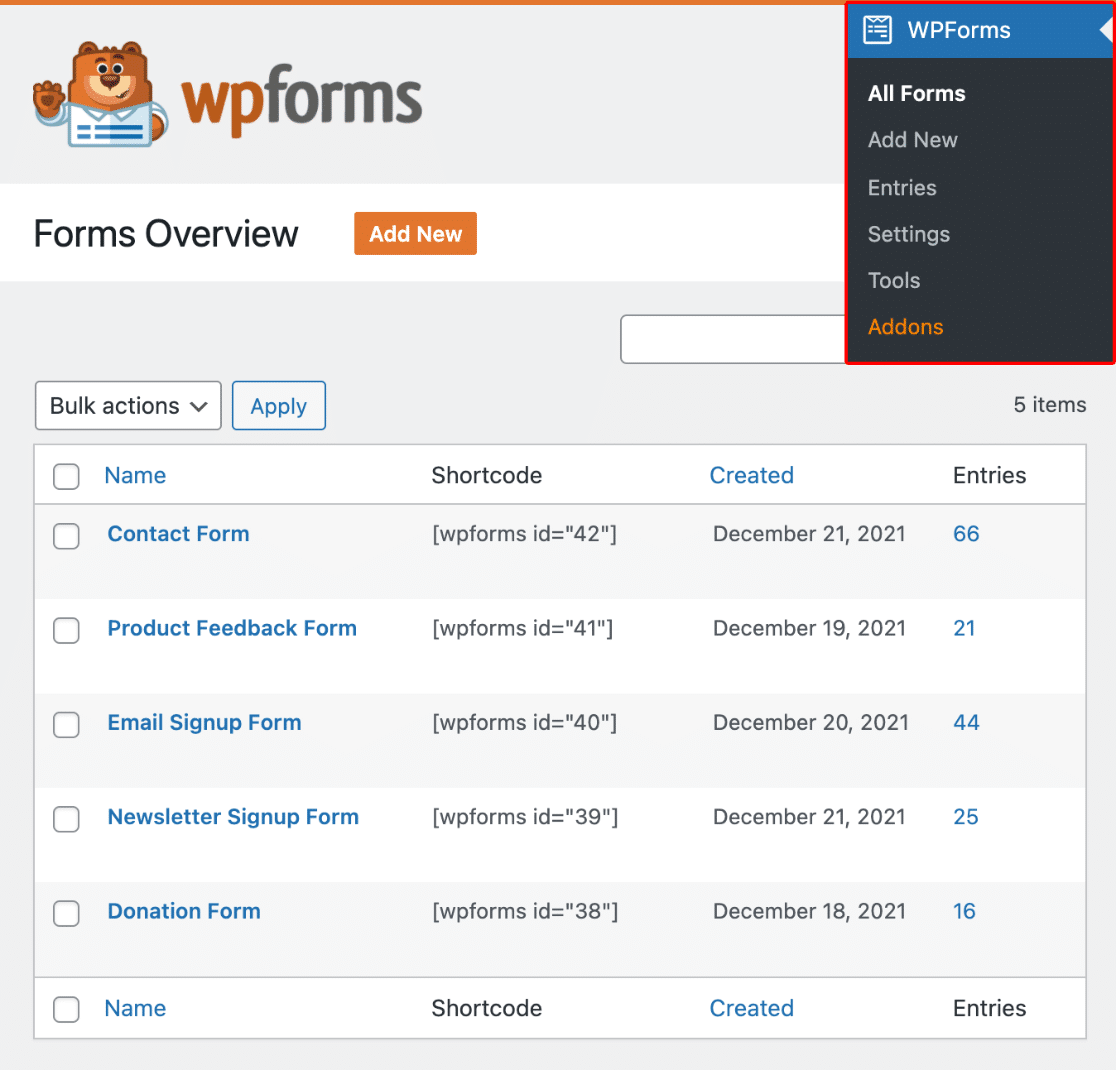
WPForms is the most beginner-friendly contact form plugin for WordPress, used by over 6 million websites. The free Lite version handles everything most US small businesses need — contact forms, quote request forms, and email notifications. The Pro version adds conditional logic, payment collection, and CRM integration.
- Drag-and-drop form builder — no code needed
- Email notifications when a form is submitted — instant lead alerts
- Spam protection with CAPTCHA integration
- Mobile responsive forms — looks great on any device
- Integrates with Mailchimp, Constant Contact, and HubSpot
OptinMonster is the leading lead generation and email capture plugin for WordPress. Its exit-intent technology shows a popup exactly when a US visitor is about to leave your site — capturing leads that would otherwise be lost forever. Used by brands like Forbes, American Express, and thousands of US small businesses.
- Exit-intent popups — captures leads right before visitors leave
- A/B testing to find which offers convert best for your US audience
- Geo-targeting — show different offers to visitors from specific US states or cities
- Integrates with every major email marketing platform
- Scroll-triggered, timed, and click-triggered campaign options
US customers expect fast answers. LiveChat adds a real-time chat widget to your WordPress site, letting you or your team respond to visitor questions instantly. Studies show that live chat increases conversions by up to 40% for US service businesses — because it removes the friction of filling out a form and waiting for a reply.
- Real-time chat with US website visitors
- Offline message capture when you’re not available
- Integrates with 200+ tools including HubSpot and Salesforce
- Mobile app — respond to US leads from your phone anywhere
Best Ecommerce & Business Operations Plugins
Whether you sell products online, take bookings, or invoice clients — these plugins handle the commercial side of your US small business website.
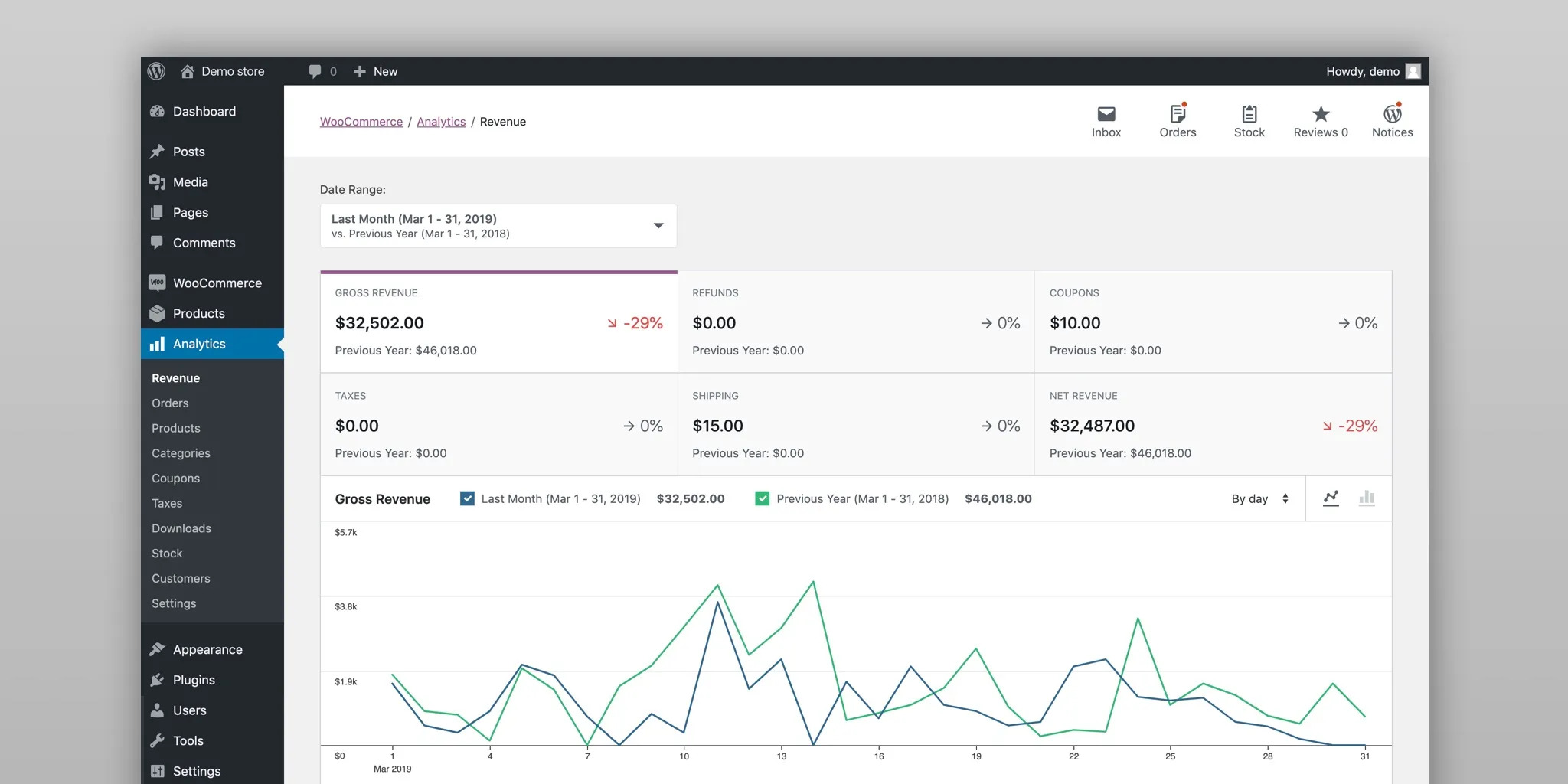
WooCommerce is the world’s most popular ecommerce plugin, powering over 28% of all online stores globally. For US small businesses wanting to sell products online, WooCommerce is the standard — flexible, scalable, and free to start. It supports US payment gateways, US state-level tax calculations, and all major US shipping carriers.
- Stripe, PayPal, Apple Pay, and Google Pay integration for US customers
- Automated US state sales tax calculations
- Integrates with USPS, UPS, FedEx, and DHL shipping
- Unlimited products, variants, and product types
- Thousands of WooCommerce extensions for every US business need
Essential for US service businesses — dental clinics, salons, contractors, consultants, gyms, and lawyers. Bookly lets US customers book appointments directly on your website, with automated email and SMS reminders that dramatically reduce no-shows.
- Online booking calendar with real-time availability
- Automated email and SMS reminders to US clients
- Payment collection at booking (Stripe and PayPal)
- Multiple staff and location support
- Google Calendar sync for your team
Stripe is the preferred payment processor for US small businesses in 2026. The official Stripe plugin for WooCommerce accepts all major US credit cards, Apple Pay, Google Pay, and Buy Now Pay Later — with 2.9% + 30¢ per transaction and no monthly fees.
- Accepts Visa, Mastercard, Amex, Discover — all major US cards
- Apple Pay and Google Pay built-in — higher mobile conversion
- No monthly fees — pay 2.9% + $0.30 per transaction only
- Instant payouts to your US bank account
By default, WordPress emails (contact form submissions, order confirmations, password resets) often land in spam folders. WP Mail SMTP fixes this by routing all WordPress emails through a reliable email service like Gmail, SendGrid, or Mailgun — ensuring your US customers actually receive them.
- Fixes the #1 WordPress email problem — emails going to spam
- Connects to Gmail, Outlook, SendGrid, Mailgun, and more
- Email log — see exactly which emails were sent and delivered
- Essential for WooCommerce order confirmation emails
MonsterInsights connects Google Analytics 4 to your WordPress dashboard with zero coding. You can see which pages US visitors love, where they drop off, and which traffic sources bring the best leads — all inside WordPress without switching tabs to the Analytics interface.
- Google Analytics 4 data shown inside WordPress — no tab switching
- Real-time stats — see who’s on your site right now
- WooCommerce ecommerce tracking — revenue, products, conversion rate
- GDPR compliance tools for collecting US visitor data
WPCode is the safest way to add custom CSS, JavaScript, and PHP snippets to your WordPress site — without touching your theme files. We use it on every CodePulse Studios client site to inject custom code safely, and it’s essential if you’re adding custom page designs or tracking scripts without a developer.
- Add CSS, JS, and PHP snippets safely — no theme file editing
- Load snippets only on specific pages — faster performance
- Auto-disable on error — prevents site crashes
- Import/export snippets between sites
- Built-in snippet library with 100+ pre-made snippets
Quick Comparison Table — All 15 Plugins at a Glance
| # | Plugin | Category | Free? | Best For | Rating |
|---|---|---|---|---|---|
| 1 | RankMath SEO | SEO | ✓ Free | All businesses | ★★★★★ |
| 2 | Google Site Kit | Analytics + SEO | ✓ Free | Analytics setup | ★★★★☆ |
| 3 | WP Rocket | Speed | $59/yr | Speed boost | ★★★★★ |
| 4 | Smush | Speed | ✓ Free | Image optimization | ★★★★☆ |
| 5 | Wordfence | Security | ✓ Free | Firewall + malware | ★★★★★ |
| 6 | UpdraftPlus | Backup | ✓ Free | Automated backups | ★★★★★ |
| 7 | WPForms | Lead Gen | ✓ Free | Contact forms | ★★★★★ |
| 8 | OptinMonster | Lead Gen | $9/mo | Email list building | ★★★★☆ |
| 9 | LiveChat | Lead Gen | $20/mo | Service businesses | ★★★★★ |
| 10 | WooCommerce | Ecommerce | ✓ Free | Online stores | ★★★★★ |
| 11 | Bookly | Booking | Free Lite | Appointments | ★★★★☆ |
| 12 | Stripe for WooCommerce | Payments | ✓ Free | US payments | ★★★★★ |
| 13 | WP Mail SMTP | ✓ Free | Email deliverability | ★★★★★ | |
| 14 | MonsterInsights | Analytics | ✓ Free | GA4 in WordPress | ★★★★☆ |
| 15 | WPCode | Dev Tools | ✓ Free | Custom code | ★★★★★ |
* 10 out of 15 plugins on this list are completely free. Total minimum cost for all 15: $0 to start.
How Many WordPress Plugins Should a US Small Business Website Have?
The short answer: as few as possible to get the job done. The long answer is more nuanced.
There’s a persistent myth that plugins always slow down WordPress sites. That’s not entirely true — a well-coded plugin with minimal database queries has almost no performance impact. A poorly coded plugin with constant database calls can cripple your site even if it’s the only plugin installed.
Most WordPress experts recommend keeping your active plugin count between 10 and 20. This isn’t a hard limit — it’s a signal that you should audit your plugins regularly. Deactivate and delete anything you don’t actively use. Even inactive plugins can be security vulnerabilities if they’re not updated.
For a typical US small business website, you should need no more than 10-15 plugins from this list to cover all your bases: SEO, speed, security, lead capture, analytics, and communications. If you find yourself installing 25+ plugins, it’s a sign you may be using plugins to solve problems better handled by your theme or custom code.
At CodePulse Studios, our standard setup for US small business WordPress sites uses 12-15 plugins — enough to cover all the essentials without bloating the site. We also regularly audit client sites and remove unused plugins as part of our WordPress maintenance service.
Frequently Asked Questions — WordPress Plugins for US Small Businesses
What are the must-have free WordPress plugins for a small business in the USA? +
Do WordPress plugins slow down my website? +
Is Yoast SEO or RankMath better for US small businesses in 2026? +
What’s the best WordPress plugin for getting more leads in the USA? +
How do I know if a WordPress plugin is safe to install? +
Need a WordPress Website for Your US Small Business?
CodePulse Studios builds custom, SEO-ready WordPress websites for US small businesses — with all these plugins pre-configured and ready to go from day one.
→ View Our WordPress ServicesFinal Verdict — The Best WordPress Plugin Stack for US Small Businesses in 2026
If you’re starting from scratch or auditing your existing WordPress site, here’s the exact plugin stack we’d install for a US small business website in 2026:
- SEO: RankMath + Google Site Kit
- Speed: WP Rocket + Smush
- Security: Wordfence + UpdraftPlus
- Lead capture: WPForms + OptinMonster
- Ecommerce (if needed): WooCommerce + Stripe + Bookly
- Email + analytics: WP Mail SMTP + MonsterInsights
- Custom code: WPCode
That’s 13 plugins covering every essential function — and 9 of them are completely free. The total cost of the paid plugins if you choose all of them: roughly $150–$200 per year. Compare that to losing customers because your site is slow, insecure, or invisible on Google, and it’s one of the best investments any US small business can make.
For more WordPress guides tailored to US small businesses, check out our post on how to rank your WordPress website on Google in the USA, or our guide on WordPress vs Squarespace for US small businesses.
If you’d rather have a professional handle the setup — plugins, SEO, speed, and everything in between — contact CodePulse Studios for a free consultation. We build and maintain WordPress websites for US small businesses every day.

[…] WordPress gives you complete control over every SEO element. With a free plugin like RankMath, you can customize title tags, meta descriptions, schema markup, canonical URLs, XML sitemaps, and Open Graph data for every single page and post. You can also implement local business schema — critical for US businesses targeting local search. Page speed, which Google uses as a direct ranking factor, is also fully under your control through plugins like WP Rocket and Smush. Read our full guide on the best WordPress plugins for US small businesses in 2026. […]
[…] Multiple independent studies — including analysis by Ahrefs and Moz — consistently confirm WordPress/WooCommerce sites outrank Shopify stores for competitive US product keywords when given the same backlink profile. The SEO advantage compounds over time. For more on optimizing your WooCommerce store for Google, see our guide to the best WordPress plugins for USA small businesses. […]