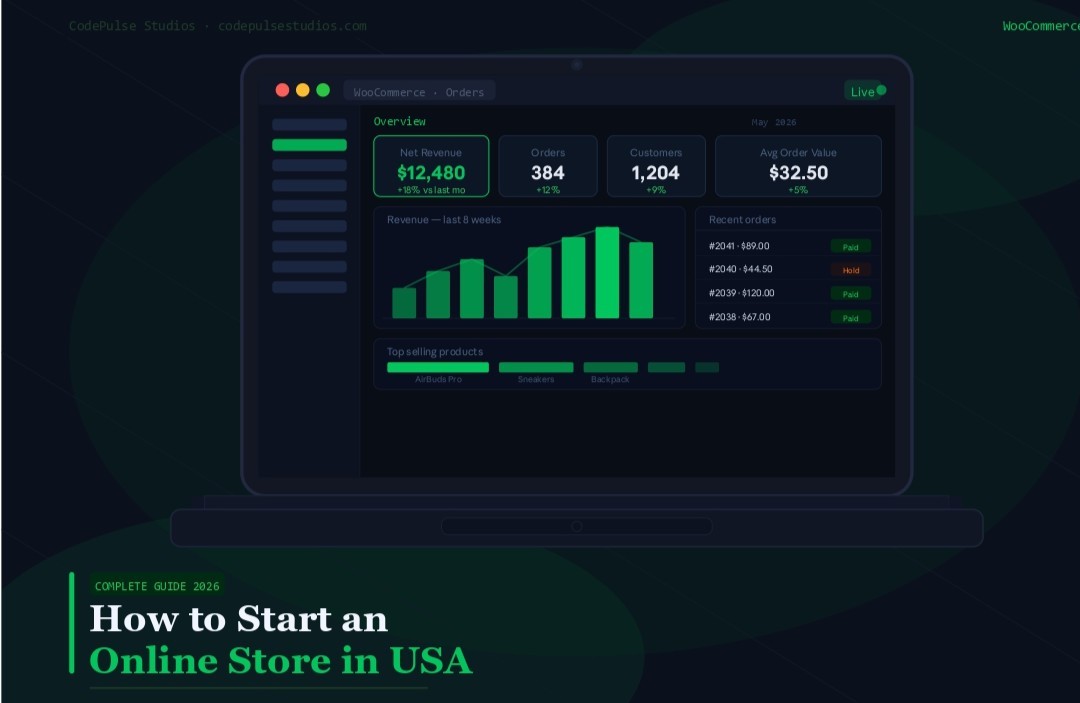

How to Start an Online Store
in USA — Complete WooCommerce
Guide (2026)
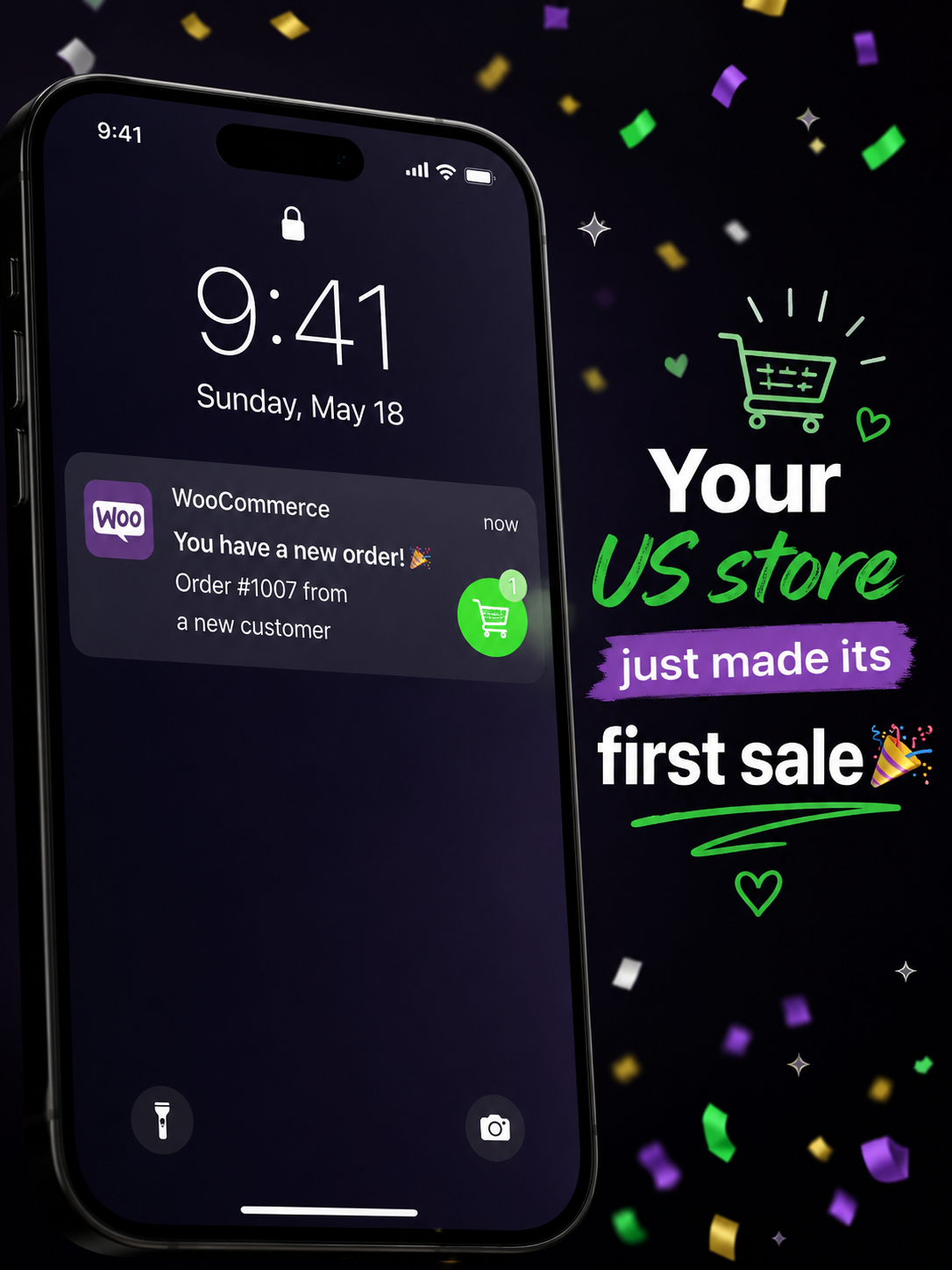
Ready to start an online store in USA in 2026? This step-by-step WooCommerce guide covers everything — from picking your niche and registering your domain to setting up US payments, adding products, and making your first sale. Physical products, digital downloads, and service bookings — all covered.
Why WooCommerce Is the Best Way to Start an Online Store in USA in 2026
When you decide to start an online store in USA, the first decision is choosing a platform. In 2026, WooCommerce — the free ecommerce plugin for WordPress — is the clear winner for US small businesses. According to BuiltWith, WooCommerce powers over 6.5 million live websites globally, including the majority of US small business online stores.
Here is why US business owners choose WooCommerce when they want to start an online store in USA:
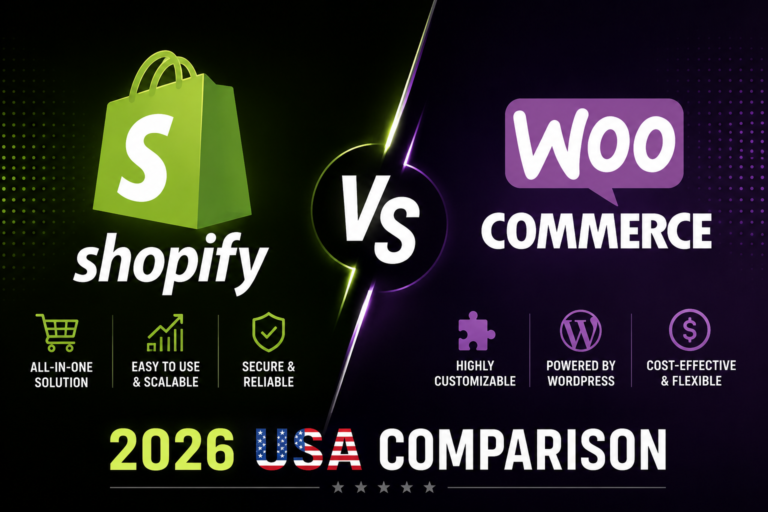
- 100% free to start — no monthly platform fee unlike Shopify ($29–$299/mo) or Squarespace ($28+/mo)
- All US payment gateways — Stripe, PayPal, Apple Pay, Google Pay, Afterpay all supported
- US state sales tax automation — WooCommerce Tax handles all 50 states automatically
- Sell anything — physical products, digital downloads, subscriptions, bookings, and services
- Full ownership — your store, your data, your code — no platform lock-in ever
- Better SEO — WordPress + WooCommerce consistently outranks Shopify on Google for product keywords
If you already have a WordPress website built by CodePulse Studios or anyone else, adding WooCommerce takes less than 5 minutes and turns your existing site into a full online store — with no rebuild needed.
Step 1 — Choose Your Niche Before You Start an Online Store in USA
Picking the Right Niche to Start Your Online Store in USA
The niche you choose determines your competition level, profit margins, and long-term growth potential. US ecommerce is a $1.1 trillion market — but that means competition is fierce in obvious categories. The businesses that succeed when they start an online store in USA are the ones that find a specific underserved segment.
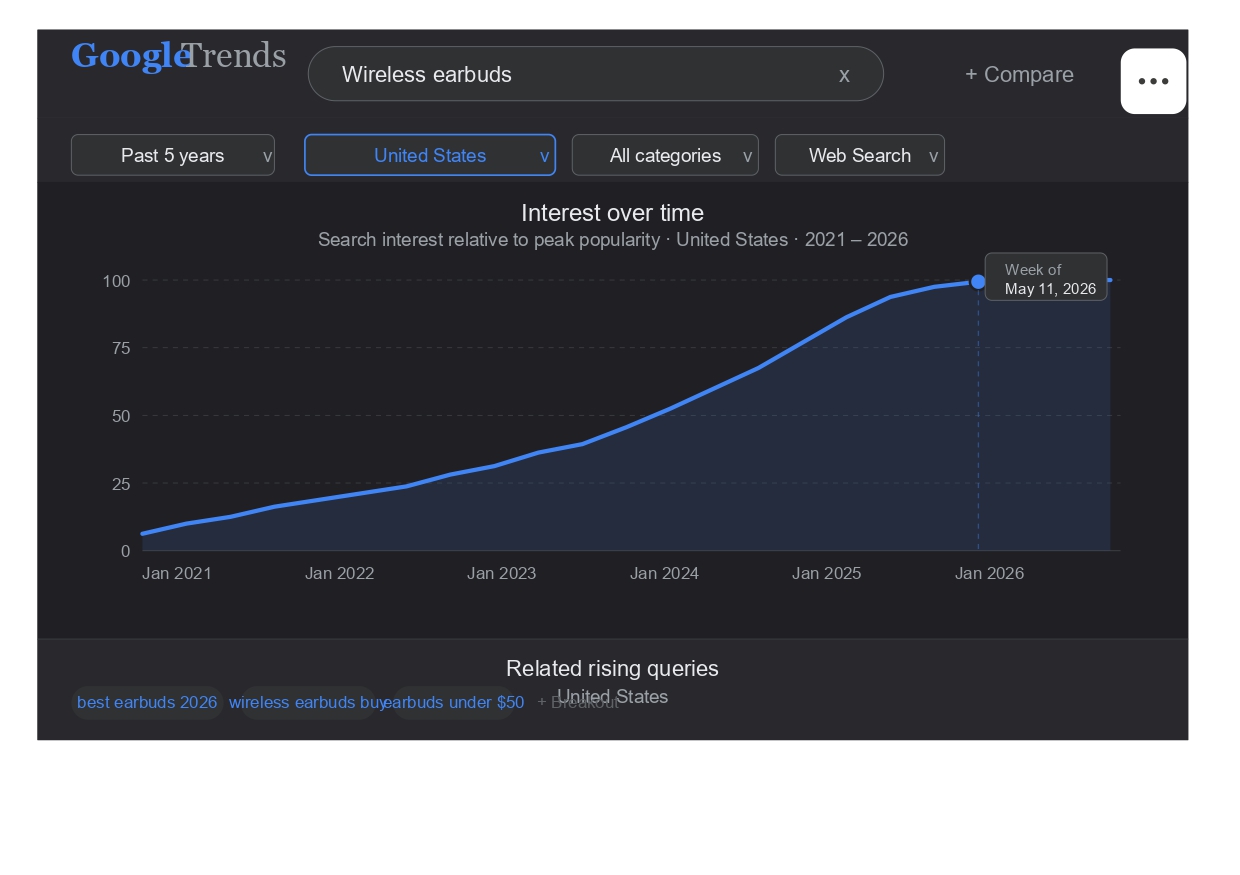
- Use Google Trends — search your product idea and set location to United States. Rising trends = opportunity. Declining trends = avoid.
- Check Amazon Best Sellers in your category — high sales rank = proven demand. Find sub-categories with fewer than 1,000 reviews on the top listing = lower competition.
- Validate with keyword research — use Google Keyword Planner to confirm US search volume for your product. Aim for 1,000–50,000 monthly US searches with low-to-medium competition.
- Check profit margins — physical products need 40–70% margins to be sustainable after US shipping and returns. Digital products have near-100% margins after creation.
Step 2 — Register a Domain and Get Hosting to Start Your Online Store in USA
Domain and Hosting for Your US Online Store
Your domain name is your store’s address on the internet. For a US online store, always aim for a .com domain — it builds more trust with US buyers than .shop or .store alternatives. Keep it short, brandable, and easy to spell.
- Domain name — register at Namecheap ($12–$15/year) or Google Domains ($12/year). Check availability and avoid hyphens.
- WordPress hosting (shared) — SiteGround StartUp plan ($3.99–$6.99/mo) is ideal for new US stores. Includes free SSL, daily backups, and US server locations.
- WordPress hosting (managed) — WP Engine ($25–$50/mo) for faster performance once you hit 1,000+ monthly orders.
- SSL certificate — required for US ecommerce (browsers show “Not Secure” without it). Included free with all major hosts via Let’s Encrypt.
Step 3 — Install WordPress and WooCommerce to Start Your Online Store in USA
WooCommerce Setup for Your USA Online Store
Once you have hosting, installing WordPress and WooCommerce takes less than 15 minutes — even with no technical experience.
- Install WordPress — log into your hosting control panel (cPanel or SiteGround’s dashboard) → find “WordPress Installer” or “Softaculous” → click Install. Choose your domain, set an admin username and strong password. Done.
- Install WooCommerce — log into your WordPress dashboard → Plugins → Add New → search “WooCommerce” → Install Now → Activate. The WooCommerce setup wizard will launch automatically.
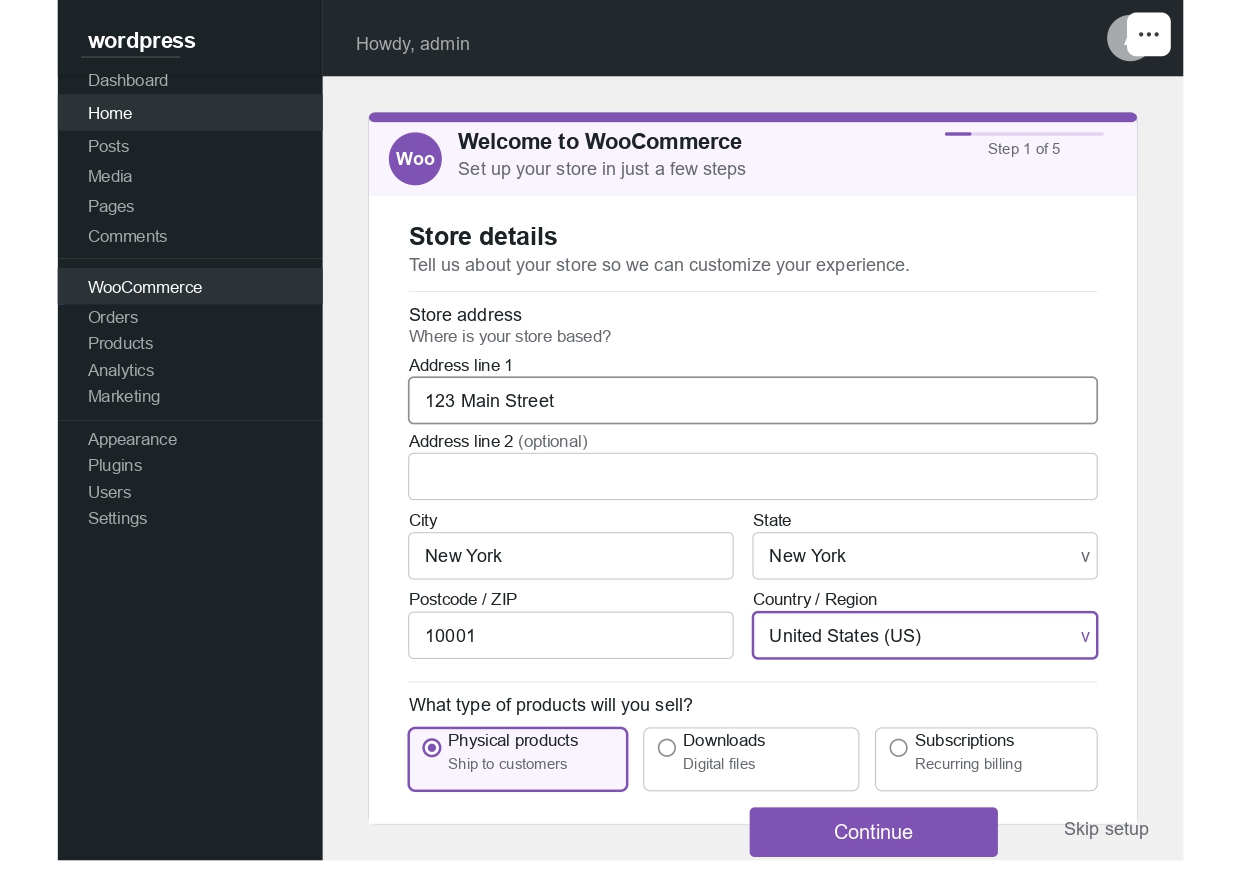
- Run the setup wizard — enter your US store address, choose your industry, and select your product type (physical, digital, or both). WooCommerce uses this to recommend the right extensions.
- Install a theme — choose a WooCommerce-compatible theme. We recommend Blocksy (free, fast, and the theme we use for all CodePulse Studios client stores) or Astra (also free and excellent).
- Essential plugins to install now — RankMath SEO (free), WP Rocket (speed), Wordfence (security), UpdraftPlus (backups), WP Mail SMTP (email). See our full WordPress plugins guide for setup instructions.
Step 4 — Set Up US Payments and Shipping for Your Online Store in USA
US Payment Gateways for Your WooCommerce Store
US shoppers expect to pay with their preferred method. Missing a payment option directly costs you sales. Here is the complete US payment setup for WooCommerce:
- Stripe — install the free “WooCommerce Stripe Payment Gateway” plugin. Accepts all major US credit cards, Apple Pay, and Google Pay. Rate: 2.9% + $0.30 per transaction. Funds deposited to your US bank account in 2 business days.
- PayPal — install “WooCommerce PayPal Payments” (free). 54% of US online shoppers prefer PayPal for first-time purchases from unfamiliar stores. Essential for building trust.
- Buy Now Pay Later — Afterpay or Klarna WooCommerce plugins. US shoppers using BNPL convert 20–30% better on orders over $100.
- WooCommerce Tax — install this free plugin and enable automatic US sales tax calculation. It handles all 50 states, hundreds of local tax jurisdictions, and product-specific tax rates automatically.
US Shipping Configuration for Your Online Store
Shipping is where most new US stores make costly mistakes. Set this up carefully before your first order:
- USPS — best for small packages under 1lb. Install “WooCommerce USPS Shipping” plugin for real-time USPS rates. First Class Mail is cheapest for small items.
- UPS — best for heavier packages 2–70lbs. Install the free WooCommerce UPS plugin. Negotiate rates with UPS directly once you hit 50+ shipments/month.
- Free shipping threshold — set a free shipping minimum (e.g. “Free shipping on orders over $75”). This increases average order value by 30% in most US stores.
- Flat rate shipping — if you sell uniform products, a single flat rate ($5.99 or $8.99) simplifies checkout and reduces cart abandonment.
Step 5 — Add Products to Your Online Store in USA (All Types)
Adding Physical, Digital, and Service Products to Your US Online Store
WooCommerce handles all product types natively. Here is exactly how to set up each one for a US market:
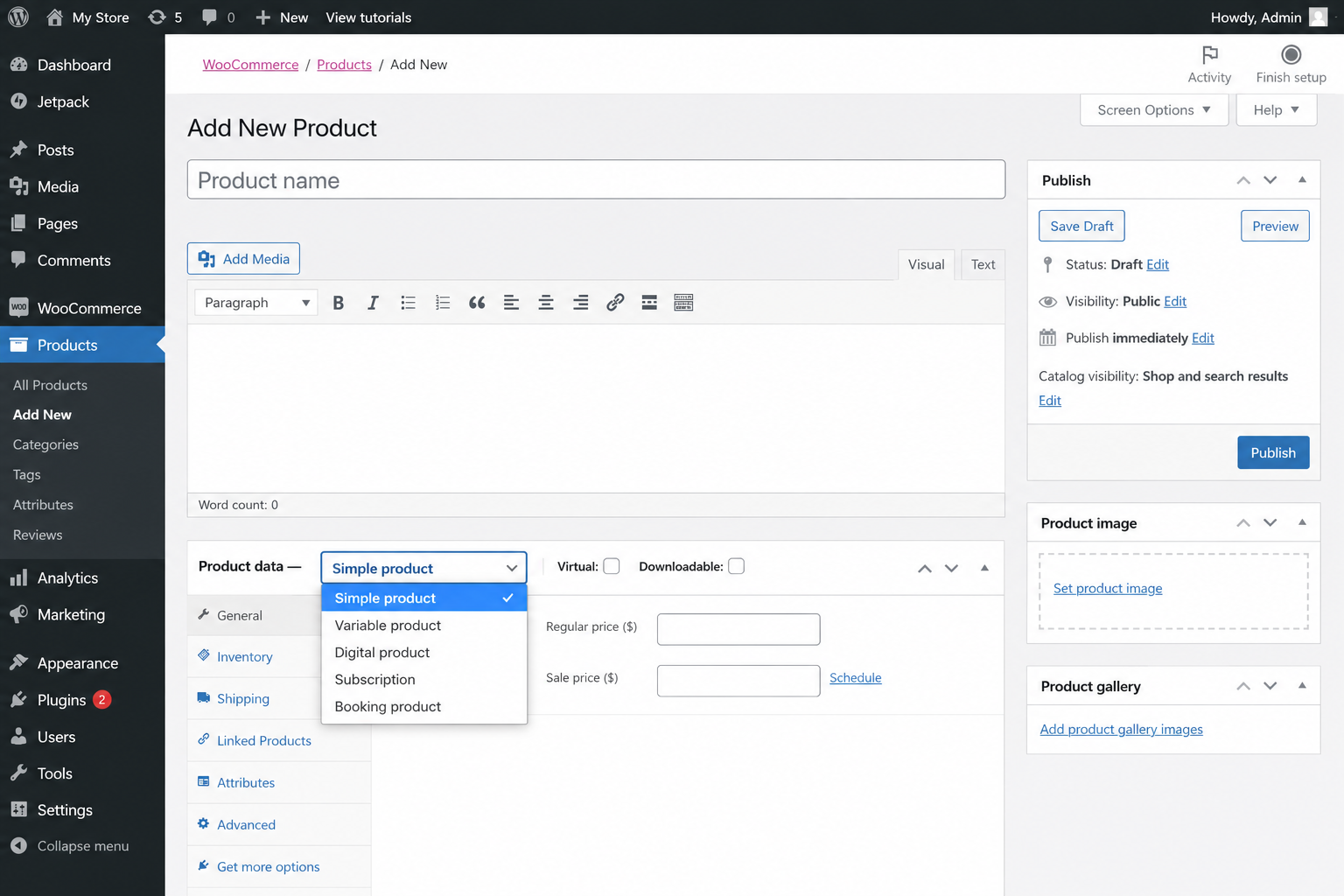
- Physical products — go to Products → Add New → set product type to “Simple product”. Add title, description, price, SKU, stock quantity, weight (for shipping calculation), and dimensions. Upload at least 3 product images from different angles. US product pages convert better with lifestyle images showing the product in use.
- Variable products — for products with options (size, color, material) — set type to “Variable product” → add Attributes (e.g. Color: Red, Blue, Green) → create Variations with individual pricing and stock for each variant.
- Digital downloads — set type to “Simple product” → check “Virtual” and “Downloadable” → upload your file (PDF, ZIP, MP3, video, etc.) → set download limit and expiry if desired. WooCommerce delivers the download link automatically after payment.
- Subscriptions — install “WooCommerce Subscriptions” ($199/year) for recurring billing. Ideal for US membership sites, subscription boxes, and SaaS products. Stripe handles the recurring charge automatically.
- Services and bookings — install “WooCommerce Bookings” ($249/year) for appointment-based services. US consultants, coaches, photographers, and clinics use this to sell time slots directly on their WooCommerce store.
US online shoppers expect high-quality product images. Minimum 1000×1000px on a white or lifestyle background. Multiple angles. A product video increases conversion by 80% for US buyers. If you cannot afford a photographer yet, a smartphone with good lighting and a $20 white backdrop produces acceptable product photos to start.
Step 6 — Set Up SEO and Analytics for Your Online Store in USA
WooCommerce SEO Setup for US Online Stores
SEO is the most important long-term traffic source for any US online store. Paid ads stop the moment you stop paying. SEO compounds over time and drives free, high-intent traffic from US shoppers searching for exactly what you sell. Set this up before your first product goes live.
- Install RankMath SEO (free) → run the setup wizard → connect to Google Search Console. RankMath will guide you through optimizing every product page with the correct title, meta description, and schema markup automatically.
- Optimize product titles — include the primary keyword US shoppers use. Example: Instead of “Blue Widget” use “Blue Stainless Steel Water Bottle 32oz — BPA Free — USA Shipping”. This is what actually gets clicked in Google.
- Write unique product descriptions — never copy manufacturer descriptions. Google penalizes duplicate content. Write 150–300 words per product including your focus keyword naturally 2–3 times.
- Submit sitemap to Google Search Console — RankMath generates your sitemap at yourstore.com/sitemap_index.xml. Submit this in Google Search Console → Sitemaps. Google will index your products within days.
- Connect Google Analytics 4 — install the free “MonsterInsights” plugin or Google Site Kit. Enable WooCommerce tracking so you can see which products, pages, and traffic sources are generating revenue.
- Set up Google Merchant Center — list your products on Google Shopping (free organic listings). US shoppers searching for products often click the Shopping tab first — this is free visibility you cannot afford to miss.
Step 7 — Launch and Drive Traffic to Your Online Store in USA
How to Get Your First US Customers After You Start Your Online Store
Launching is just the beginning. The work of driving US traffic starts on day one. Here is the exact launch sequence we recommend to all CodePulse Studios clients when they start an online store in USA:
- Day 1 — Announce on social media — post your store launch on Facebook, Instagram, and X with your product photos and a direct link. Tag your location (US city/state) for local algorithm boost. Offer a 10% launch discount code to drive first orders.
- Day 1–7 — Email your existing contacts — send a personal email to everyone you know. Even 3–5 initial orders builds social proof and triggers WooCommerce’s “Best Seller” tags which help future SEO.
- Week 1 — Start your blog — write one blog post per week targeting keywords US shoppers search before buying your product. “Best [product] for [use case]” posts drive buying-intent traffic and link back to your product pages. Read our keyword research guide to pick the right topics.
- Week 2 — Pinterest and Google Shopping — list every product on Google Merchant Center (free) and create Pinterest boards for your products. Pinterest drives massive US ecommerce traffic especially for home, fashion, food, and lifestyle products.
- Month 1 — First paid ad — once you have your first 5 organic sales, run a $5/day Facebook or Google Shopping ad targeted to US buyers searching your product category. Use the revenue from organic sales to fund ads.
- Ongoing — Email list — install Mailchimp (free up to 500 contacts) and add a popup to your store offering 10% off first order in exchange for an email address. Email marketing generates $42 for every $1 spent — the highest ROI channel in US ecommerce.
How Much Does It Cost to Start an Online Store in USA in 2026
One of the most searched questions when people want to start an online store in USA is the total cost. Here is a complete breakdown — DIY vs professionally built.
| Cost item | DIY WooCommerce | CodePulse Studios | US Local Agency |
|---|---|---|---|
| Store build / setup | $0 (your time) | $499–$899 | $5,000–$20,000 |
| Domain name | $12–$15/yr | $12–$15/yr | $12–$15/yr |
| WordPress hosting | $35–$120/yr | $35–$120/yr | $35–$200/yr |
| WooCommerce core | Free | Free | Free |
| Theme | Free (Blocksy) | Custom included | $200–$2,000 |
| Payment processing | 2.9% + $0.30/txn | 2.9% + $0.30/txn | 2.9% + $0.30/txn |
| SEO setup | Free (RankMath) | Included | $500–$2,000 extra |
| US shipping config | DIY (2–4 hours) | Included | Often extra |
| US tax setup | DIY (1–2 hours) | Included | Often extra |
| Training | YouTube / docs | Full session incl. | $150–$500 extra |
| Delivery time | 4–12 weeks | 14–21 days | 8–20 weeks |
For most US small businesses, the best way to start an online store in USA in 2026 is with a professionally built WooCommerce store that costs $499–$899 one-time. This is dramatically cheaper than a US agency ($5,000–$20,000), delivered 4–6x faster, and includes everything — design, SEO, payments, shipping, tax, and training — as standard. See our full ecommerce development service for US businesses for exact package details.
Before you start an online store in USA you need: (1) A business entity — LLC or sole proprietor registration in your state. (2) An EIN (Employer Identification Number) from the IRS — free at irs.gov. (3) A seller’s permit in your state if selling physical goods. (4) A Privacy Policy and Terms of Service on your store — required by FTC regulations and essential for US payment processor approval. Consult a US business attorney for state-specific requirements.
Want Someone to Build Your WooCommerce Store for You?
CodePulse Studios sets up complete WooCommerce stores for US small businesses — payments, shipping, tax, SEO, and products — starting at $499. Ready in 14 days.
→ View Ecommerce PackagesFrequently Asked Questions — How to Start an Online Store in USA
How much does it cost to start an online store in USA in 2026? +
Do I need a business license to start an online store in the USA? +
Is WooCommerce or Shopify better for starting an online store in the USA? +
How long does it take to start an online store in the USA? +
What payment methods should I accept in my US online store? +
How do I handle sales tax for my US online store? +
Can I sell physical and digital products in the same WooCommerce store? +
Final Thoughts — Ready to Start an Online Store in USA in 2026?
The 7 steps in this guide give you everything you need to start an online store in USA with WooCommerce in 2026. The process is straightforward — pick your niche, set up hosting, install WooCommerce, configure US payments and shipping, add your products, optimize for SEO, and start driving traffic.
The US ecommerce market is still growing rapidly — Statista projects US ecommerce revenue to exceed $1.6 trillion by 2028. The businesses that start an online store in USA now — with proper SEO setup and a professionally built store — will be the ones capturing that growth. The ones who wait another year will face stiffer competition.
If you want a professional WooCommerce store built for you — fully configured for US payments, shipping, and SEO — contact CodePulse Studios for a free quote. We will have your store live and ready to take US orders in 14 days.